Uniswap Crypto Purchases With a Card, Bank or Revolut - Onchain Collateral
You do not need an exchange account to buy crypto. In the Uniswap web app and Uniswap Wallet, you can buy ETH, USDC and other tokens with a card, a bank transfer or your Revolut account, and the tokens land straight in your own wallet.
Uniswap compares offers from several providers, so you see the price and fees before you pay. And when you want to go back to cash, you can sell crypto for your local currency in the same app.
This page shows how buying on Uniswap works, which options you have, and what to check before your first purchase. It is written for people who are new to self-custody, so it skips the jargon where it can.
How Buying Crypto on Uniswap Works
Uniswap is a decentralized exchange, so it does not process card payments itself. When you buy, a regulated third-party provider handles the payment, and the crypto is sent to your wallet address.
What happens behind the scenes 1. You choose a token, an amount and a payment method in the Uniswap app 2. Uniswap shows quotes from available providers 3. You pick a provider and complete the payment with them 4. The provider sends the crypto to your self-custody wallet
You never deposit into a Uniswap account, because there is none. The tokens are yours from the moment they arrive. That also means nobody can freeze them, but nobody can recover them for you either, so the backup of your wallet matters from the very first purchase.
What you need
- A Web3 wallet, such as Uniswap Wallet, MetaMask or Coinbase Wallet
- A card, bank account or supported payment app
- Identity verification with the provider, depending on your country and amount
Payment Methods You Can Use
Options vary by country, but the main ones are the same across the app and wallet.
Cards and bank transfers
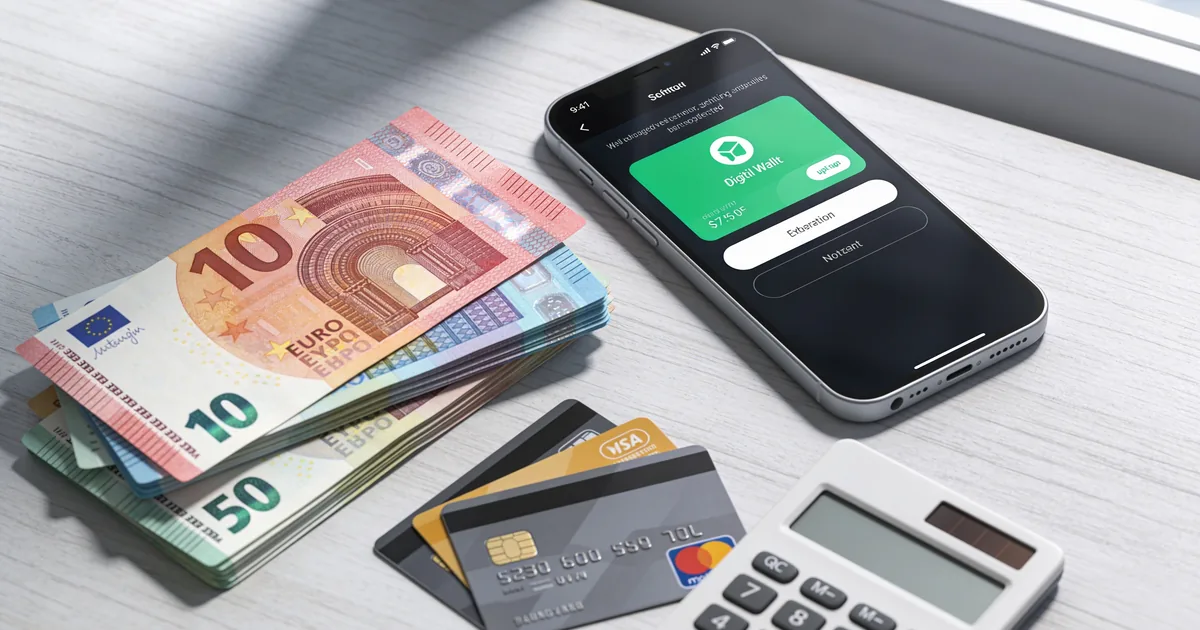
Debit and credit cards are the fastest way to buy, usually within minutes. Bank transfers often cost less but can take longer to settle, depending on the provider and your bank.
Revolut and Robinhood Connect
Uniswap added Revolut as a payment option in the web app and wallet, so Revolut users can buy crypto with their existing balance. On mobile, Robinhood Connect lets eligible US users fund purchases from their Robinhood account.
Comparing Providers and Fees
Each provider sets its own price and fees. Uniswap shows the quotes side by side, so you can see what you actually receive.
What affects the final cost ● The provider’s fee for the payment method ● The exchange rate the provider uses ● Network fees for sending the crypto to your wallet ● Your country and the currency you pay in
Cards are usually the most expensive. Bank transfers and payment apps are often cheaper. The best quote is the one that gives you the most tokens for the same amount, not the one with the lowest advertised fee.
Picking the right network
If you plan to swap after buying, choose a token on a Layer 2 network like Base, Arbitrum or Unichain when the provider offers it. Gas there costs cents, while every swap on Ethereum mainnet can cost dollars.
Limits and verification
Each provider sets its own minimum and maximum amounts. Small first purchases usually need only basic checks, while larger amounts may require a photo ID or proof of address. If one provider asks for more than you are comfortable sharing, another provider in the list may have different requirements.
What to Buy First
For a first purchase, simple is better. You will need some of the network’s native token for gas in any case.
Common first purchases ● ETH, which you need for gas on Ethereum and most Layer 2s ● USDC, a stablecoin that tracks the US dollar ● A small amount of the token you actually want, if the provider supports it directly
Many people buy ETH or USDC first and then swap into other tokens on Uniswap, where the choice is far wider than what payment providers list. Buying a stablecoin first also gives you time to think, because its value stays close to one dollar while you decide what to do next.
Selling Crypto for Cash
Uniswap also supports selling crypto for your local currency in the web app and wallet. You choose the token and amount, pick a provider, and the money is sent to your bank or card.
How cashing out works
- Open the Sell option in the Uniswap app
- Choose the token, the amount and your currency
- Compare provider quotes and pick one
- Send the crypto from your wallet and receive fiat from the provider
Things to know
Selling usually requires identity verification with the provider. Payout times depend on the provider and your bank. Check limits in your country before you sell a large amount.
After Your First Purchase: What to Do Next
Once the crypto is in your wallet, you have full control. A few simple steps make the next actions easier and safer.
Swapping into other tokens
Open the Swap tab, pick the token you bought and the token you want, and confirm. Keep a little ETH or the network’s native token for gas. If you bought on a Layer 2 like Base or Arbitrum, each swap costs only cents.
Moving between networks
If the token you want lives on another network, use a cross-chain swap in the Uniswap app. It moves your funds and swaps them in one flow, and shows the expected time and total cost before you confirm.
Keeping your wallet safe long term
- Check your recovery phrase backup is readable and stored offline
- Turn on a passcode or biometrics in your wallet app
- Consider a hardware wallet if your balance grows
- Review and revoke token approvals you no longer use
Staying Safe When Buying Crypto
Most problems with first purchases come from fake sites and rushed decisions, not from the payment itself.
Basic safety rules
- Use only app.uniswap.org or the official Uniswap Wallet app from Uniswap Labs
- Write down your wallet’s recovery phrase offline before you buy anything
- Never share your recovery phrase, not even with support
- Check the token contract before swapping into new tokens
- Start with a small purchase to see how the flow works before you move larger amounts
Watch out for fake support
Scammers reply to people asking for help on social media and offer to “fix” a pending purchase. Real support for payments comes from the provider you used, and real Uniswap help comes through support.uniswap.org. Nobody legitimate needs your recovery phrase.
Why Users Trust Buying Through Uniswap
Uniswap has run since November 2018 and has processed more than $4.5 trillion in trading volume. Buying through the app connects you to established providers while keeping your crypto in self-custody.
Facts you can check ● Purchases go straight to your own wallet, never to a Uniswap account ● Quotes from several providers are compared before you pay ● No Uniswap interface fee on swaps since the UNIfication vote in December 2026 ● Uniswap v4 contracts audited nine times, with a bug bounty of up to $15.5M ● Official app at app.uniswap.org, mobile wallet by Uniswap Labs, help at support.uniswap.org
Payment providers are third parties with their own terms, limits and verification rules.
Related Vault & Collateral Studies
Technical publications issued by The Onchain Collateral Report:
- NFTs in Uniswap Wallet: A Practical Guide for Holders Learn how NFTs in Uniswap Wallet can be reviewed, transferred and secured, with steps, fees, settings, limits and practical tips for long-term holders.
- ENS Usernames in Uniswap Wallet: 2026 Security Guide Learn how ENS usernames in Uniswap Wallet resolve, how to add and verify them, what they cost, and the risks to check before every signature.
- Uniswap Wallet Biometric Lock: How to Turn It On 2026 Learn how the Uniswap Wallet biometric lock works, when to enable it, what it costs, its limits, and the settings cautious holders should review.
Frequently Asked Questions
Yes, you can buy crypto with a debit or credit card in the Uniswap web app and wallet. A third-party provider processes the payment and sends the crypto to your wallet.
Uniswap itself does not require KYC. The payment provider may ask for identity verification depending on your country and the amount.
Fees depend on the provider, payment method and network. The app shows each quote with fees included before you pay.
Yes, Revolut is available as a payment option in the Uniswap web app and wallet in supported regions.
Yes, Uniswap supports selling crypto for local currency through partner providers. The money goes to your bank or card after the provider processes it.
Card purchases usually arrive within minutes. Bank transfers can take longer, depending on the provider and your bank.
Most people start with ETH for gas or USDC as a stable balance. You can then swap into other tokens on Uniswap.
Yes, if you use the official app and keep your recovery phrase private. The crypto goes to your own wallet, and payments are handled by established providers.